Creating Custom Word Search Puzzles: A Guide for Parents and Teachers
Written by
MyPuzzlePrint TeamCreating Custom Word Search Puzzles: A Guide for Parents and Teachers
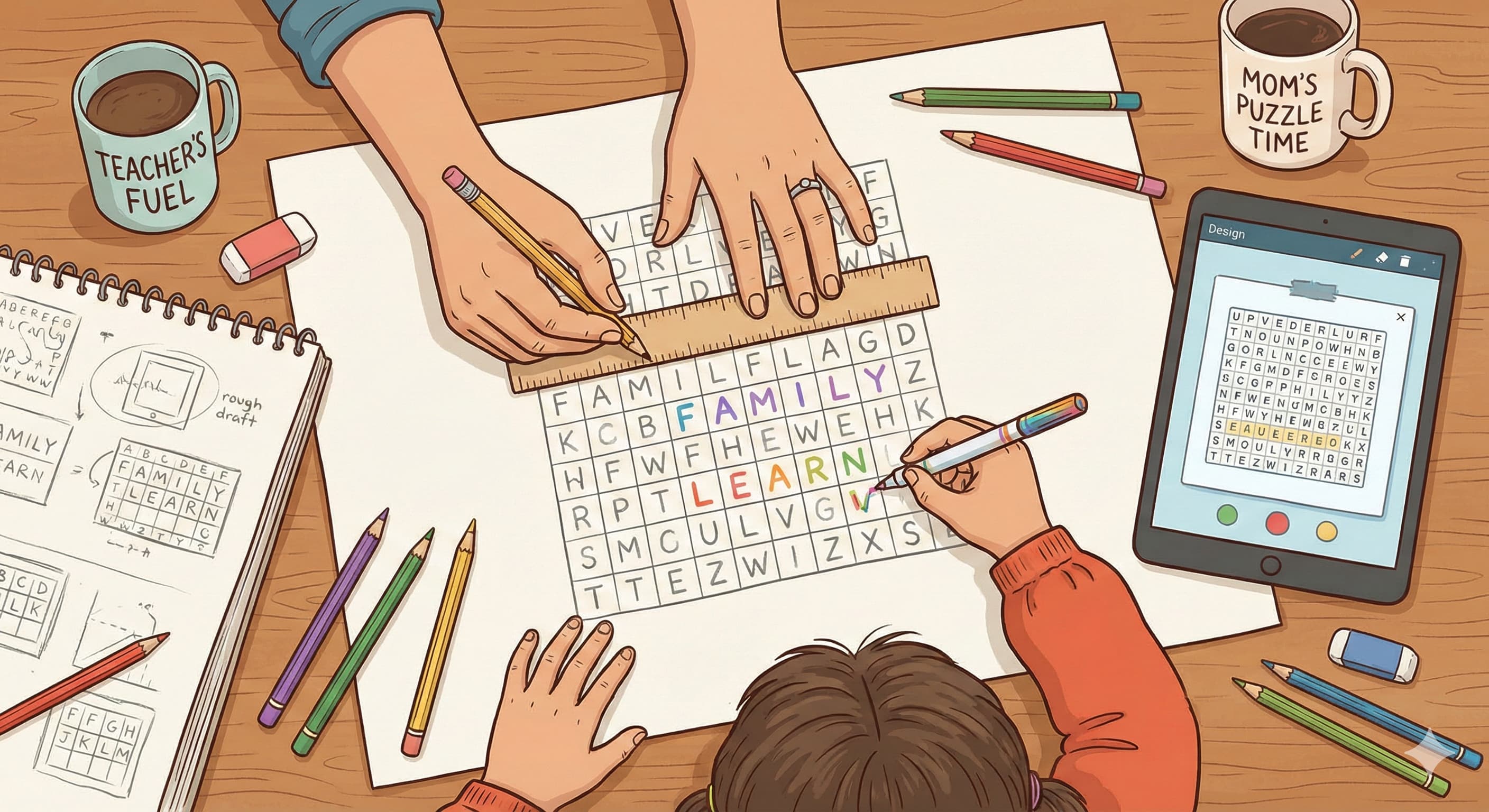
While there are countless ready-made word search puzzles available, sometimes the best puzzle is one you create yourself. Designing a custom word search allows you to tailor the content to exactly what you want - whether its vocabulary from this weeks class lessons or all your childs favorite superheroes names. It might sound tricky to make your own puzzle, but with a little planning (and perhaps the help of free online tools), its quite doable and rewarding. In this guide, well walk through the steps of creating a word search puzzle from scratch. Well cover how to choose a theme and word list, tips for laying out the puzzle (including kid-friendly design considerations like using lowercase letters and simple directions), and how to make an answer key. Both parents and teachers will find that making custom puzzles can become a fun creative endeavor - and the resulting puzzle will be perfectly suited to your kids interests or learning needs.
Step 1: Choose a Theme and Gather Words
Every great word search starts with a theme or topic. Think about what interests or goals you have. Are you making a puzzle to supplement a lesson (e.g., planets for a science class, or characters from a novel)? Or is it for fun (e.g., your childs favorite Pokémon or a birthday party puzzle with guests names)? Having a clear theme helps focus your word list and makes the puzzle more meaningful. Once you have a theme, list out words related to that theme. For a classroom context, these might be your target vocabulary words. For a fun puzzle, brainstorm everything that fits the category. Aim for anywhere from 10 to 25 words, depending on how large you want the puzzle and the age/skill of the solvers. If you expect younger children to solve it, lean towards the shorter word list (fewer words means a less cluttered puzzle). Also, consider word length and variety. A mix of short words (3-4 letters) and slightly longer ones (maybe up to 8-10 letters for older kids) is good. Too many long words can make a puzzle very crowded or large. Avoid using the exact same word twice. If two words share a big overlap (like cat and cats), you might choose one or the other to prevent confusion in the grid. For educators, make sure the words are at an appropriate difficulty level for your students. If a word is very long or complex, it might be better used in a crossword-type puzzle instead of a word search, unless youre focusing on letter patterns within it. Once you have your list, double-check the spelling (especially if kids will use this puzzle to practice those spellings). Now youre ready for the next phase: designing the grid.
Step 2: Design the Grid Size and Layout
The size of your word search grid will depend on your word list and the length of the words. Common puzzle grid sizes for kids range from about 10x10 letters up to 15x15 letters. A 10x10 grid can comfortably hide words of up to ~10 letters (though shorter is easier), and its a good size for younger solvers or shorter word lists. If you have a lot of words or some longer terms, a 15x15 grid gives more space. The goal is to avoid a situation where words have to overlap too much or the grid becomes too dense with hidden words. Its perfectly fine (even good) if some letters in the grid are used by more than one word, but you want to ensure readability.
When designing for children, especially early readers, its recommended to use lowercase letters in a clear, simple font . Children learn and read primarily in lowercase, and using lowercase in puzzles makes it easy for kids to read . Try to avoid fancy or cursive fonts - stick with something like Arial, Verdana, or any basic print font with distinct letter shapes. If youre drawing by hand, just print the letters clearly. Also consider the directions in which youll hide words. For young kids or beginner readers, you might choose to only place words left-to-right (horizontally) and top-to-bottom (vertically) - both directions that follow normal reading order . This way, when they find a word, they are seeing it as theyd read it in a book (no backwards or diagonal surprises). This approach of using reading-friendly directions helps reinforce proper reading habits even during puzzle time . For slightly older or more advanced kids, you could introduce diagonal placements or perhaps backwards horizontal (right-to-left) if you want an extra challenge. But consider your audience: a first-grader, for example, will likely get frustrated if words are backwards or diagonal.
Now, how to actually layout the words: one method is to use graph paper or a grid drawn on paper. Start placing your longest word first (they are trickiest to fit). Write it in the grid, letter by letter in a straight line (horizontal, vertical, or diagonal depending on your plan). Then take the next word and place it. Try to see if you can have it intersect a letter with the first word (for example, if both words share a common letter, you can cross them like in a crossword, which also saves space). However, unlike crosswords, in word searches its not mandatory to cross words; its just an option to consider to tightly pack the grid. Place each word one by one. You can overlap them as much or as little as you want, but ensure each word can still be found distinctly. If two words share several letters in sequence, that could confuse the solver (they might not realize there are two words overlapped). So typically, overlap only a letter or two at most.
If doing this by hand feels cumbersome, many free online tools or puzzle-maker software exist where you input your word list and it will generate a grid for you. You can usually customize grid size and directions allowed. These tools can save time and also generate a randomized fill of letters around your words (which well discuss in the next step). However, whether by hand or tool, keep design principles in mind: lowercase, appropriate grid size, and limited directions for childrens ease.
Step 3: Fill in the Remaining Letters
After all your chosen words are placed in the grid, youll notice many empty squares remaining. Now its time to fill those with random letters. The key here is to camouflage the hidden words without making the puzzle impossibly difficult. For childrens puzzles, a good approach is to fill with a mix of letters that doesnt create too many accidental false words or overwhelming clusters. If you generated the puzzle with software, it likely did this step for you, tossing random letters in all the blanks. If youre doing it manually, you can fill each blank with any letter.
A tip: avoid using too many of one letter unless it naturally happened from overlaps. A grid full of the letter X might actually make words stand out oddly. Instead, sprinkle the alphabet fairly randomly. Some puzzle creators like to ensure every letter of the alphabet appears at least once in the grid, just as a fun trivia (not necessary, but interesting).
Be mindful that certain letter combinations might accidentally form additional words (for example, randomly placing C-A-T in a line might cause a child to think cat is one of the hidden words when its not on the list). Its hard to avoid every instance of this, but a quick scan can help: read through each row and column of your filled puzzle and see if any common short words (3-4 letters) jump out that are not supposed to be there. If you spot one, you could shuffle some letters around to break it up. That said, a child might not notice these extra mini-words; theyre usually focused on the provided list. And sometimes a few incidental small words are unavoidable.
At this stage, double-check that none of your intended words got accidentally obscured or altered by the fill letters. Ensure none of the fill letters inadvertently completed a partial word in a way that could confuse (for example, if you had the word star hidden and you accidentally placed a t right after it in the grid, a solver might think the hidden word is start instead). Adjust any such issues.
Now your grid is complete - all hidden words are in place and all blank spots are filled with random letters. It looks just like a standard published puzzle! Before finalizing, though, dont forget an important component: the answer key.
Step 4: Provide an Answer Key
Especially in an educational or group setting, its helpful to have an answer key - a completed version of the puzzle that clearly highlights the hidden words. On your copy, you can circle all the words or use a highlighter to mark each words path. This not only helps you double-check that all words are indeed findable and spelled correctly, but its also a resource to give or show to anyone who might need a little help or to facilitate checking work. For instance, teachers might project the answer key on the board or hand it out after students have had time to solve, so students can self-correct or see what they missed.
When making the answer key, ensure your marking of each word is distinct (different colored circles or lines for each word, if possible, or at least neat circles that clearly show the full length of the word). List the hidden words either on the puzzle or separately, and maybe cross them off as you mark them to be certain you didnt forget to mark any. Its easy to accidentally skip one, and you dont want a solver thinking a word isnt there when it actually is - or vice versa. Keep the answer key separate from the puzzle when you present it to the kids, of course (maybe print it on a different page or keep it for yourself). But do let solvers know an answer key exists if they need it. Sometimes just knowing they can check later gives them peace of mind to persist a bit longer in searching.
Bonus Tips: Making It Kid-Friendly and Fun
- Font and Clarity: As mentioned, use lowercase letters and a clear font. If youre handwriting the puzzle, make sure your letters are well-formed and not easily confused (for example, a handwritten l vs 1 or O vs Q). Child-friendly means visually clear and accessible .
- Difficulty Control: If you want to make a puzzle easier, you could do things like provide the first letter of each hidden word in bold somewhere in the grid or maybe hide all words only horizontally which is simplest. To make it harder, you could omit the word list entirely for older kids, turning it into a theme-based word hunt where they have to figure out what the words are from the letters (this essentially becomes more like a word seek-and-find challenge).
- Customization: For a personal touch (especially in puzzles for fun), include the childs name as one of the hidden words. Kids get a kick out of finding their own name. You can also add words that will make them giggle (like icecream or unicorn if those are beloved) even if the theme is loose, just to keep them motivated.
- Printable Format: Arrange your final puzzle neatly. Typically, youll have the grid of letters and then the list of hidden words printed below or beside it. Title your puzzle something fun (e.g., Samanthas Birthday Word Search or Vocabulary Challenge - Solar System Edition). This makes it feel like a real activity, and kids often save or collect these if they have a special name or theme.
- Answer Sheet for Students: If you expect kids to mark on the puzzle and you want to reuse it, consider giving them a copy inside a transparent sleeve with an erasable marker, or instruct them to circle lightly so you can erase. But generally, its fine if they write on it - thats part of the engagement. Just print extras if needed.
By creating custom word searches, you can directly tie puzzle fun to whatever your kids or students are learning or love. It shows them that educational content (like spelling or new terminology) isnt confined to drills and textbooks - it can be a game too. And going through the effort to make a puzzle tailored to them often makes children feel special (This puzzle has my schools name in it! or All these words are from the book we read - cool!).
Conclusion
Designing your own word search puzzles might take a bit of practice, but its a craft that gets easier with each try. Whether you do it by hand or use digital aids, the key is to keep the solvers experience in mind: ensure its solvable, appropriately challenging, and thematically engaging. By following the steps outlined - choosing a clear theme, sizing your grid wisely, filling with care, and providing an answer key - youll create puzzles that are both fun and educationally valuable. Parents can customize puzzles to reinforce what a child is learning in a personal way, and teachers can generate puzzles that fit exactly with their curriculum (incorporating those all-important lowercase, child-friendly design features ). So roll up your sleeves and give it a go - you might find that making word searches is almost as enjoyable as solving them. And the smiles on your kids faces when they see a puzzle made just for them will be well worth the effort. Happy creating!